
CLEAN TAKE
AI voice noise and reverb removal, in real time.
Record in a kitchen, an office or a lecture hall and still sound like you used a treated booth. Clean Take takes the room out of spoken voice: the echo after your words and the noise between them. It works live, on calls and streams, and as a plugin in Pro Tools, Logic and every VST3 host. Join the beta and use the full product free for 90 days.
THE FULL PRODUCT
The standalone app and the AAX, VST3 and AU plugins, with all four models and Voice Lock. Nothing is held back.
FREE FOR 90 DAYS
Sign up with your name and email, download the installer, and activate with a free iLok account.
TELL US WHAT YOU HEAR
Beta testers shape the release. Send us your rooms, your workflows and anything that surprised you.
Specifications
Clean Take is a neural-network voice processor built for speech. Every model removes both kinds of room sound at once: the background noise between words and the reverberation that trails after them. You choose how much of the processed signal you hear, and the dry path stays time-aligned, so blending never smears or clicks.
All processing runs on your Mac's CPU. Nothing is uploaded, and nothing is downloaded after install.
Available as a standalone app and as AAX, VST3 and AU plugins for Mac with Apple silicon. One license covers the app and every plugin format.
Four models, one click
Pick the model that matches the room, not a page of settings. Switching is instant and never stops the session.
Venue for large rooms, or distant and roomy mics: a lectern, a boom, a phone across the table. The ROOM dial sets how much of the space to remove; about 70% suits a hall.
Close-mic for podcast and voice-over setups within about a meter. A second stage restores detail after the clean-up.
Universal is the general-purpose model. Start here when you're unsure, or when the source isn't one close voice.
Voice Lock learns your voice and turns other voices and leakage down.
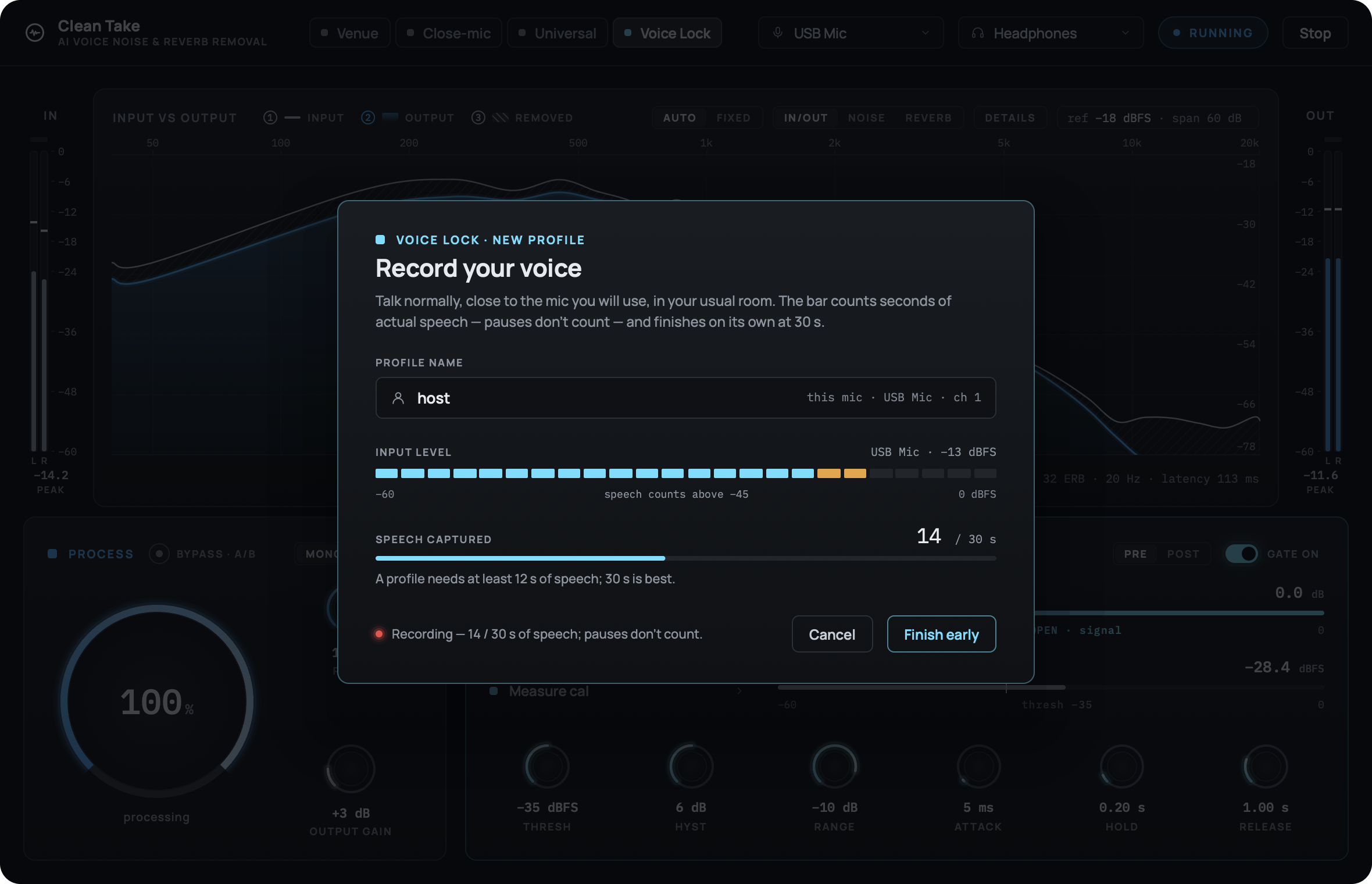
Voice Lock: thirty seconds, once
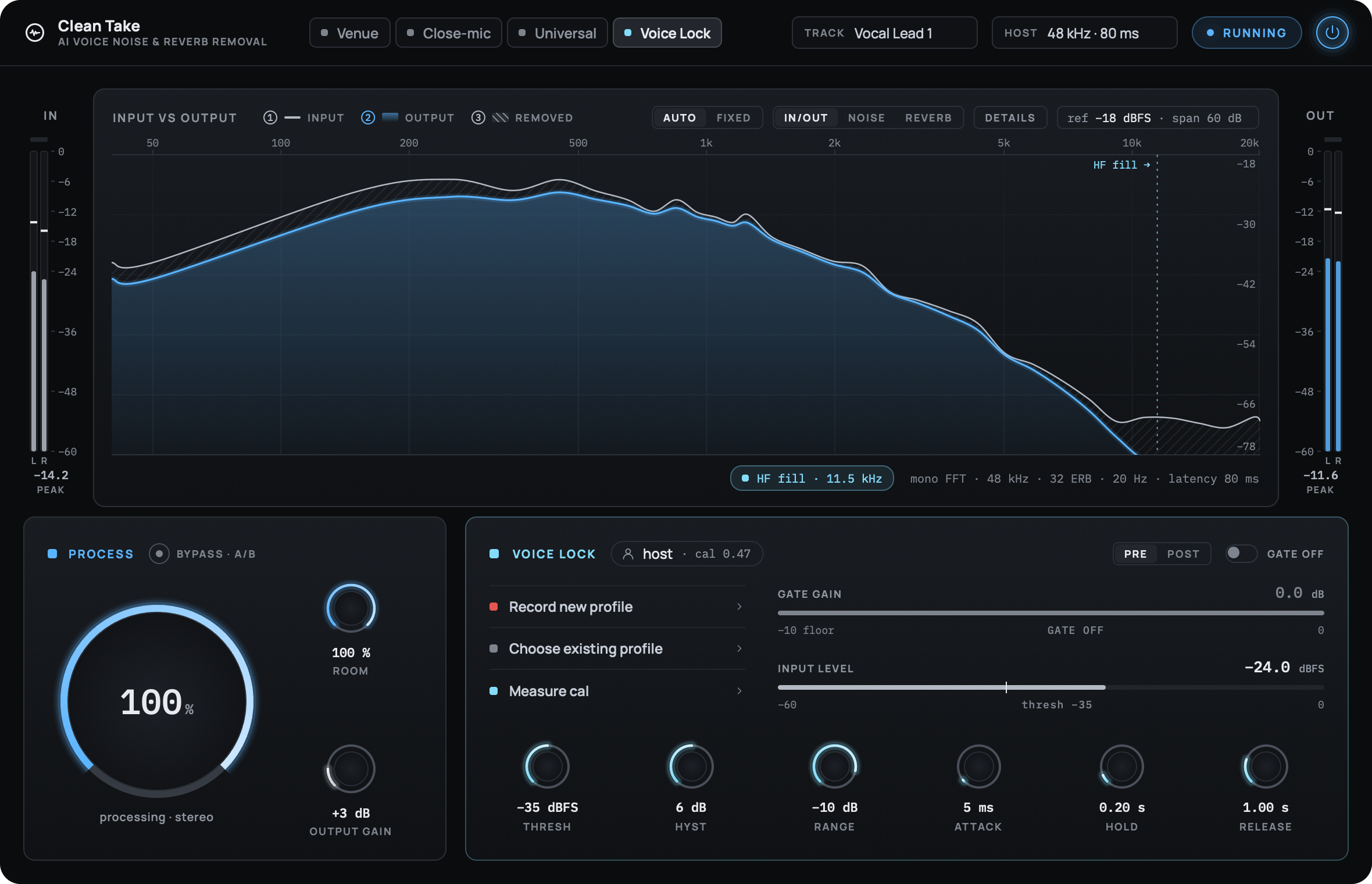
Record about half a minute of yourself talking. Only actual speech counts toward the target, so pauses don't matter. Clean Take builds your profile in the seconds after the target is reached and calibrates to your voice and your room.
From then on, Voice Lock keeps your voice and turns other voices, leakage, and background chatter down. Profiles are shared between the app and every plugin, and they survive updates.
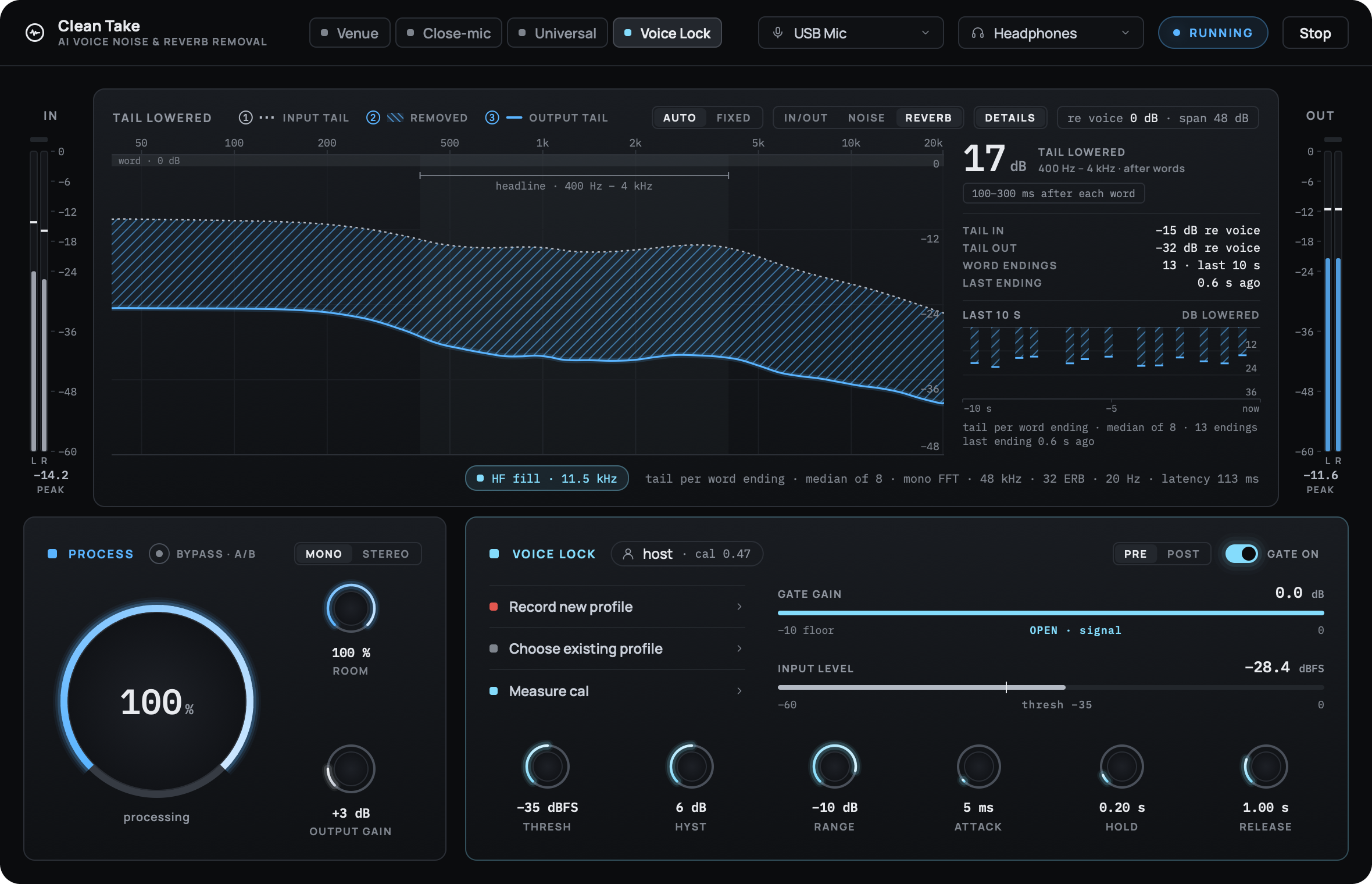
REVERB view: the tail after words, lowered 17 dB.
See exactly what was removed
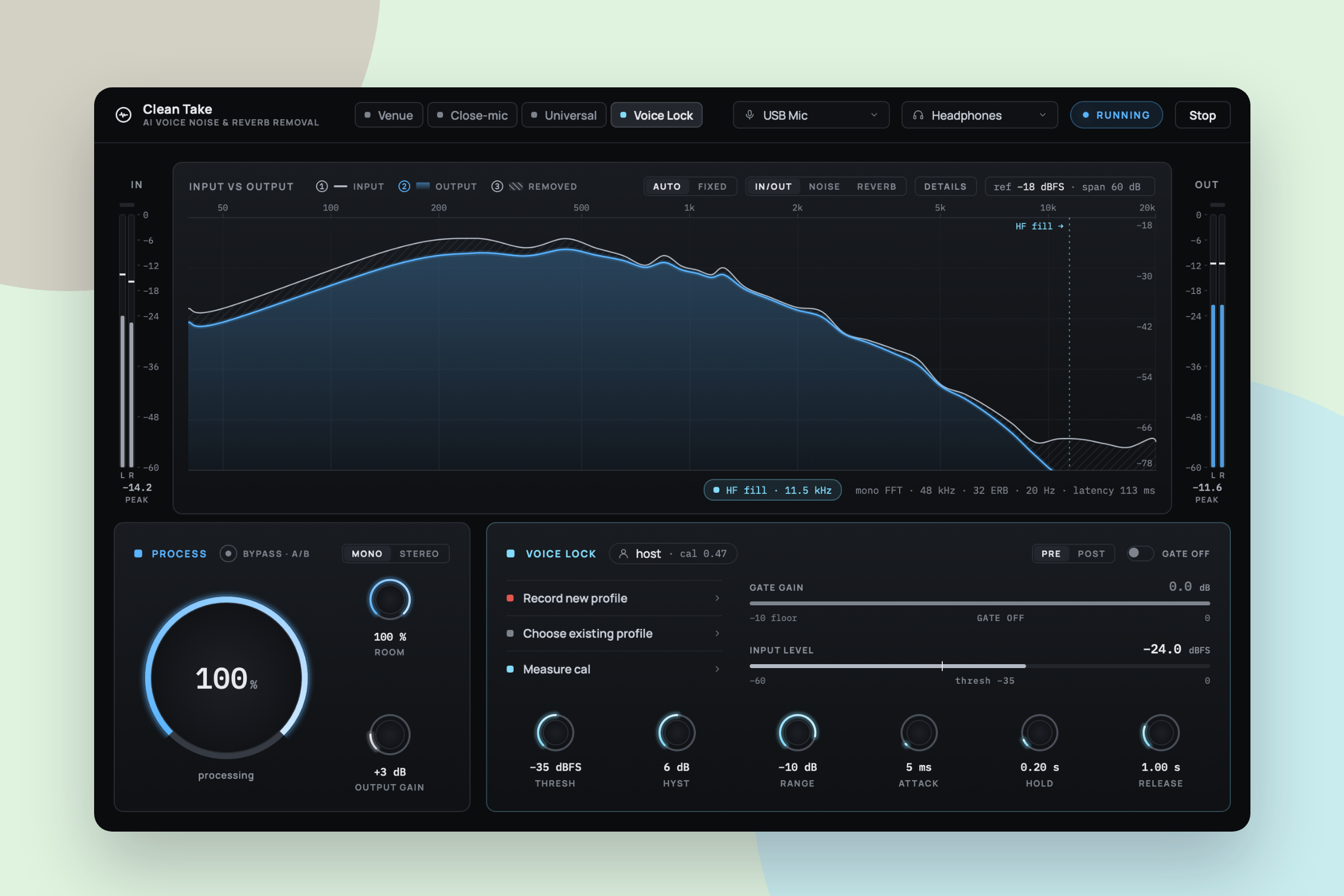
The monitor shows measurements, not decoration. IN/OUT overlays the input and output spectra and hatches the gap between them. NOISE reports how far the floor between words came down. REVERB reports how far the tail after words came down. Nothing is drawn that wasn't measured.
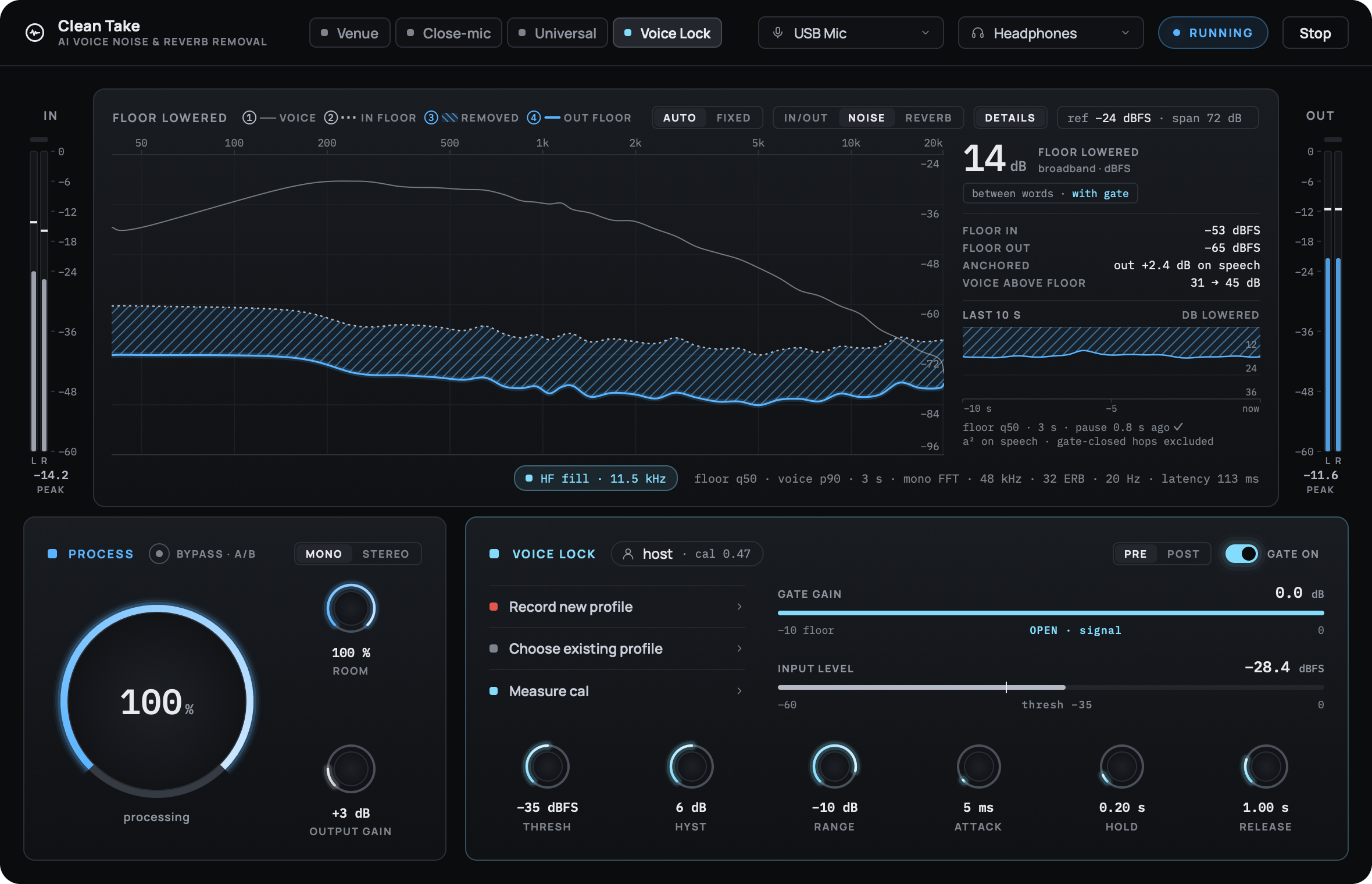
NOISE view: the floor between words, lowered 14 dB.
Process
One dial sets the wet/dry balance from 0 to 100%. Bypass · A/B flips between untouched and your setting so you can judge the difference instantly.
Room and output gain
ROOM sets how much of the space Venue and Voice Lock take out. OUTPUT GAIN adds up to +18 dB to make up level after the clean-up.
A gate that knows your voice
An optional gate with threshold, hysteresis, range, attack, hold and release, placed before or after the mix. It works with every model.
Mono or linked stereo
Stereo sources keep their image: one analysis of the center drives both channels, so nothing wanders.
In your session
The same engine and the same window as an insert: AAX for Pro Tools, VST3 for Reaper, Ableton Live, Cubase and Studio One, and AU for Logic Pro and GarageBand. Mono and stereo tracks.
Clean Take reports its latency to the host, so your tracks stay in sync. Offline bounces are processed exactly like playback. Sessions at 44.1 to 192 kHz are handled by an internal resampler.
On calls and streams
The standalone app sits between your microphone and the rest of your Mac. Install the optional virtual devices and choose Clean Take Mic as the microphone in Zoom, Teams, OBS or your DAW: everyone hears the cleaned voice.
It works in the other direction too. Send a call into Clean Take Source and hear the other person without their room.
Private by design
Clean Take never uploads audio and sends no telemetry. The models run on your Mac's CPU, and their weights are stored encrypted. The only network contact is iLok license activation.
Requirements
Mac Apple silicon (M1 or later); Intel Macs not supported
macOS 13 Ventura or later
About 300 MB of disk space
A free iLok account (iLok Cloud or an iLok USB key)
Headphones when using the standalone app live
Formats and latency
App, AAX, VST3 and AU (64-bit, Apple silicon)
App: 60 ms latency; 90 ms with virtual devices
Pro Tools: 80 ms at 48 kHz, reported to the host
Session rates from 16 to 192 kHz; 48 kHz natively
Optional virtual devices: Clean Take Mic and Source
Beta FAQ
Still have questions? Take a look at the FAQ.
-
Yes. Sign up, download and use the full product for 90 days. We don't ask for payment details.
-
The beta license expires after 90 days and we will offer a compelling discounted purchase price to the beta group as our appreciation for your participation.
-
Not yet. Clean Take requires a Mac with Apple silicon and macOS 13 or later.
-
Only to activate your iLok license. Processing happens entirely on your Mac.
-
Double-click Uninstall Clean Take in the Applications › Clean Take folder. Your Voice Lock profiles are kept.

Hear your voice without the room.
Join the free 90-day Clean Take beta. Sign up, and we'll take you straight to the download.